

- cross-posted to:
- opensource@programming.dev
- cross-posted to:
- opensource@programming.dev
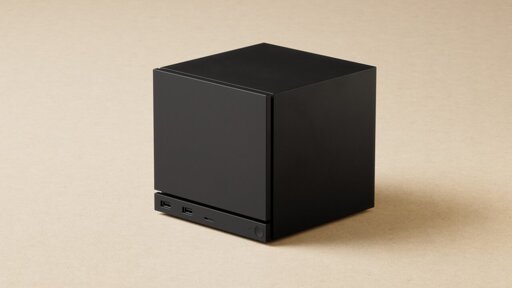
The HDMI Forum, responsible for the HDMI specification, continues to stonewall open source. Valve’s Steam Machine theoretically supports HDMI 2.1, but the mini-PC is software-limited to HDMI 2.0. As a result, more than 60 frames per second at 4K resolution are only possible with limitations.
Every time I plug a second monitor into my Linux PC (Mint), both screens start blinking on and off. Sometimes Win+P works, sometimes it doesn’t. I’ve asked in the Discord, I’ve tried arandr. Nothing works.
Multimontitor display issues are why I switched from mint to a distro that uses Wayland
Do you have adaptive sync on? If you do try turning it off for both monitors. That worked for me but your milage may vary.
Mint isn’t wayland yet and X11 does not support adaptive sync if multiple monitors are connected
I don’t even know what that is, frankly.
It’s a generic term for Freesync/GSync, having a variable refresh rate.
Oh. No, my monitors should always be at 60Hz now. They’re both DC powered (internal + USB).
Odd, I have three screens active on my Mint desktop right now. I’ll have to try this on my Mint laptop and see what happens.
What kind of GPU are you using?
Neofetch says that it’s seeing an AMD ATI Radeon HD 8730M and an Intel Haswell-ULT, which is probably the chipset connected to the i7-4600U, and I’m assuming what 99% of the graphics are being generated on.
Try making the move to Wayland. I habe zero issues cinnecting or disconnecting monitors.
If I can do it while keeping Cinnamon, and my current desktop, I might.
3 monitors here and working fine on Elementary OS, Super+P works as well. Are you on Wayland or X11?
Whatever Cinnamon runs on natively. I have no idea beyond that.
Last I heard Cinnamon does not have stable Wayland support yet. One of the reasons Wayland was made is because multi-screen support on the old X11 is an ugly hack. Unlike wayland, it doesn’t play well with screens of different resolutions, refresh rates, adaptive sync compatibility or HDR.
Oh, then it’s probably that issue.
Then it would be best to check the version of your distro and session, then go to their github issue list and search for it, if there isn’t one provide a issue for them to look at. I also recommend verifying if it’s not a hardware issue or cable fault.