

1·
16 hours agoYep that was a change a while back. Choice makes some people think there’s too much effort involved so the first recommendation is a random “general” server. You can still see the list if you want.
Administrator of thelemmy.club
Nerd, truck driver, and kinda creeped that you’re reading this.
Yep that was a change a while back. Choice makes some people think there’s too much effort involved so the first recommendation is a random “general” server. You can still see the list if you want.

Infuse is great…
If you pay. I’d love an alternative tho

I don’t think so. They support anti-western international policy but I think the consensus is that it’s a reactionary capitalist hellhole and Putin is a POS
For example this Hexbear thread where even one of the Hexbear moderators says “I would very much like to see [Putin] shot in the face.”

What? It’s like saying systemd is handing the government your info because they have a field for your real name and address.
YOU control what info goes there, if any. It mandates NOTHING.
You may as well be mad at vim because your text editor is capable of storing your birthdate if you go in and type it and save it to /public/myInfo.txt
What they’ve done, is in the user info field (which already has a ton of information that almost nobody ever fills out) they added a date of birth field. They do not control what it’s used for, who’s going to use it, or if the user will ever bother filling it out. Perhaps nobody will ever implement a use for it, it’s really nothing.
Honestly it’s such a minor change, I’m pretty sure they could just grab all the upstream commits in the future and not do anything and it’ll be fine.
Obviously not, that would be something very very different than what they’ve done.
They work great but it’s a real pain to offload the files
Yeah people are weird about it. I’ve never had any systematic issue from .ml
The closest US state to Africa is Maine
The Moon is much further than you’d intuitively assume. In fact, you can fit every other planet in the solar system between the Earth and the Moon. At the same time.
I mean it’s been around the longest and has the most subscribers. Most people only look at that, and I feel like arbitrarily splitting communities is actively harmful to the fediverse. Competing communities confuse and drive away new users.

It is when it’s used by corporations for profit, IMO. Not for individual private enjoyment.
Oh yeah? Well vegatables are both in pig troughs and on dinner plates. Why’s one slop and not the other? They were grown with the same process!
Because one is shitty and the other isn’t.
I use Vaultwarden, but either way most of my home server data gets backed up by getting encrypted and uploaded to Backblaze regularly/automatically.
If that fails well each client has a copy of the data, so just one has to survive.
Huh, an actually good brain-computer interfaces.
If you have an issue with something Palestine does in defense of itself, blame Israel for forcing it to desperation through decades of genocide.
If they could afford the tanks and advanced missiles that Israel throws at them I’m sure it would look more even. But since they can’t… They do what they must. A kid dies? A tragedy to be sure. But blame Israel for making the situation so. And know that so many more Palestinian children were brutalized and killed.
And?
It’s really fucked up that Israeli genocide drove them to such extreme and desperate warfare.













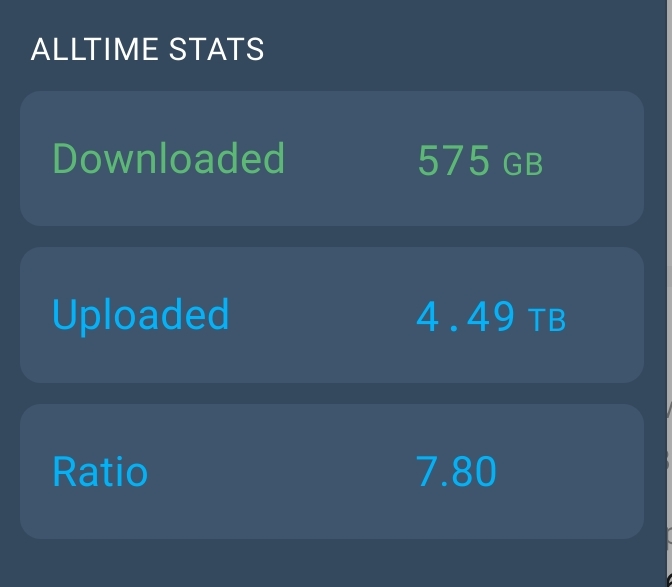
It hasn’t changed too much. It was wild for a hot minute and then mellowed out. Some people feared it failed but it just stayed steady year after year.